

If you ever felt confused while calculating your tax, you are not alone. Even though income tax filing looks simple at first glance, many salaried persons struggle because the rules change, deductions vary, and numbers look complicated. However, there is good news. You can now calculate your tax easily using an All-in-One Income Tax Calculator in Excel, and it works like a personal digital accountant. It guides you step by step, and therefore, you feel confident while filing your return. Just like a GPS shows the best route, this Income Tax Software in Excel shows the best tax-saving path for FY 2025-26.
Table of Contents
| Sr# | Headings |
| 1 | Importance of Excel-Based Tax Calculators |
| 2 | Why Salaried Persons Need Automation |
| 3 | Understanding FY 2025-26 Tax Structure |
| 4 | How Excel Tax Software Works |
| 5 | Old vs New Regime Comparison |
| 6 | Salary Details Input |
| 7 | Standard Deduction Benefits |
| 8 | Section-Wise Tax Saving Options |
| 9 | Automated Tax Computation |
| 10 | Form 10E and Arrears Calculation |
| 11 | Accuracy and Error-Free Filing |
| 12 | Time-Saving Benefits |
| 13 | Who Should Use this Tool |
| 14 | Tips for Safe Tax Filing |
| 15 | Final Thoughts |
1. Importance of Excel-Based Tax Calculators
You might wonder why Excel matters. Actually, Excel remains the simplest and most flexible platform. Moreover, it works offline; therefore, your private data stays safe. Additionally, many features, formulas, and drop-down tools help calculate your income tax faster. Because almost every office uses Excel, you already understand its basic use, and that familiarity makes the whole filing process easier.
2. Why Salaried Persons Need Automation
Although manual calculation looks possible, mistakes can happen. Besides, multiple allowances, exemptions, and deductions confuse many people. Instead of guessing, you can use an automated sheet. Therefore, you save time while ensuring correct results. Similarly, you avoid last-minute stress when deadlines approach.
3. Understanding FY 2025-26 Tax Structure
Before you start calculating, you should understand the structure. Overall, India offers two regimes: the old regime with deductions and the new regime with lower tax rates. Since both options look useful, salaried persons often feel unsure. Consequently, the Excel calculator automatically compares both options and clearly shows the most beneficial regime.
4. How Excel Tax Software Works
Technically, the Income Tax Software in Excel uses formulas. For example, it calculates your gross salary, reduces deductions, applies the correct tax slab, and generates your tax liability. Additionally, the sheet may show graphs or tables, so you understand numbers visually. Because everything works step-by-step, even beginners can use it confidently.
5. Old vs New Regime Comparison
Firstly, the old regime allows deductions such as 80C, 80D, and HRA. Meanwhile, the new regime offers lower rates, but fewer deductions. Since choices matter, the Excel calculator compares your actual income under both regimes. Consequently, you immediately choose the smarter option. That improves your tax planning throughout the year.
6. Salary Details Input
In the beginning, you enter basic salary details. Afterwards, you add allowances such as HRA, transport allowance, and special pay. Then you include bonuses, incentives, and arrears. Therefore, the tool considers your complete income. Although it looks detailed, it takes only a few minutes because everything stays organised.
7. Standard Deduction Benefits
Currently, salaried persons enjoy a standard deduction. Again, the calculator applies it automatically. Because you don’t need to remember the value, errors reduce naturally. Additionally, the deduction creates extra savings, even if you choose the new regime.
8. Section-Wise Tax Saving Options
Interestingly, many employees forget to claim deductions. For instance, they miss 80C benefits through PF, ELSS, or LIC. Similarly, they ignore 80D benefits from health insurance. However, the Excel tool lists each section. Because of this guided approach, you maximise tax savings without confusion.
9. Automated Tax Computation
Earlier, people used paper charts. Now, automation changes everything. Therefore, you press one button and instantly see your result. Moreover, the sheet shows surcharge, cess, and final tax payable. That means you don’t need calculators, mobile apps, or long formulas.
10. Form 10E and Arrears Calculation
Sometimes arrears create extra tax. As a result, people worry. However, the Excel calculator includes arrears relief under Section 89(1). Furthermore, it prepares Form 10E details. Since these settings work automatically, your arrears calculation stays error-free.
11. Accuracy and Error-Free Filing
Accuracy matters because wrong numbers attract notice. The Income Tax Software in Excel reduces manual entry mistakes. Additionally, it warns you about missing entries. Consequently, your return becomes accurate and strong.
12. Time-Saving Benefits
Imagine spending hours with tax books. Instead, this tool saves your time. Besides, you complete everything in minutes and use the extra time for family or hobbies. Since Excel works offline, even low-speed internet never stops you.
13. Who Should Use this Tool
The calculator suits salaried persons. Moreover, it helps HR professionals, accountants, and small business employees. Although advanced users may customise formulas, beginners also enjoy easy navigation.
14. Tips for Safe Tax Filing
Even though calculators help, keep your documents ready. For example, collect Form 16, rent receipts, and investment proofs. Likewise, save downloaded sheets safely. Because safety matters, avoid sharing personal data online.
15. Final Thoughts
In conclusion, the All-in-One Income Tax Calculator in Excel helps every salaried person calculate tax easily. Because it works like a smart guide, you see your tax clearly. Moreover, automation saves time, boosts accuracy, and reduces stress. Therefore, if you want a smooth filing experience in FY 2025-26, try this Income Tax Software in Excel and enjoy effortless tax planning.
FAQs
1. What is an All-in-One Income Tax Calculator in Excel?
It is a ready-made Excel sheet that calculates income tax automatically for salaried persons.
2. Can I compare old and new tax regimes using this calculator?
Yes, it automatically compares both regimes and shows the best option.
3. Does the calculator work offline?
Yes, it works offline because it is in Excel format.
4. Can I use this tool without tax knowledge?
Yes, the tool guides you step-by-step, so even beginners can use it easily.
5. Does it support arrears calculation with Form 10E?
Yes, it includes arrears relief under Section 89(1) and supports Form 10E preparation.
Download Automatic Income Tax Preparation Software All-in-One in Excel (F.Y. 2025–26) for Government and Non-Government Employees
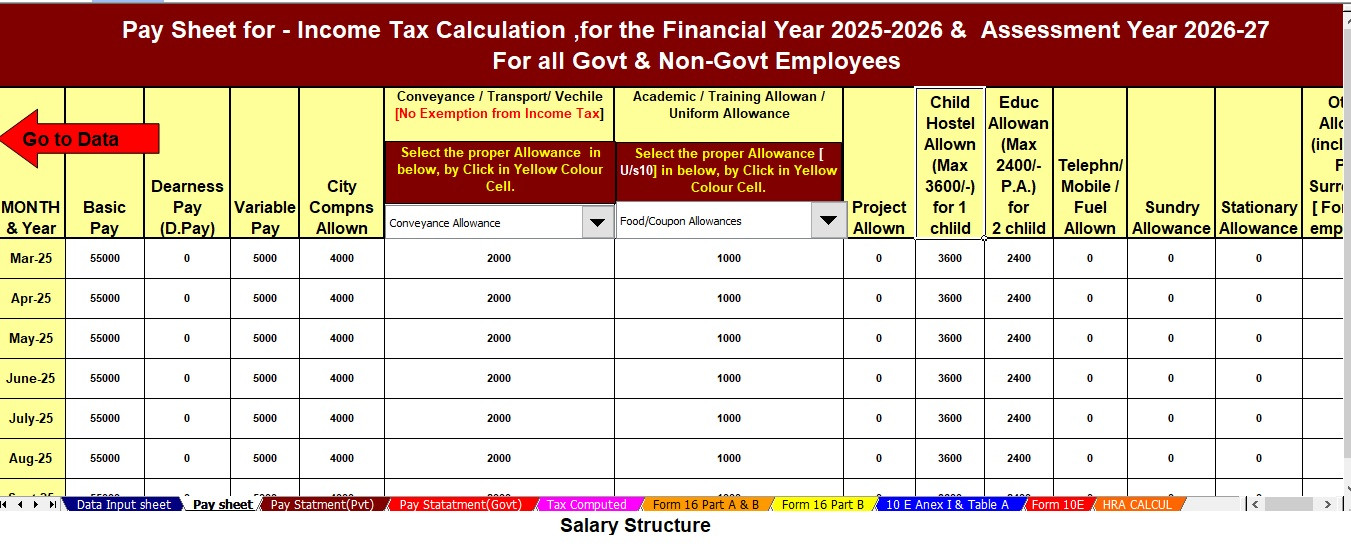
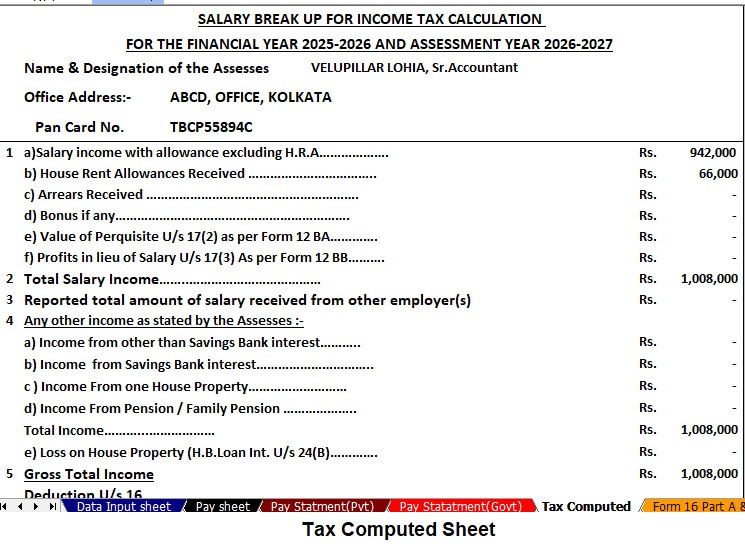


This Income Tax Software in Excel helps salaried persons calculate tax smoothly and accurately. Initially, you enter your income details, and next, the tool automatically applies formulas based on the latest tax rules. Moreover, the software works for both Government and Non-Government employees and therefore reduces confusion. Meanwhile, the advanced automation improves speed, and consequently, you finish your calculations in minutes rather than hours.
Key Features of the Excel-Based Tax Preparation Utility
1. Dual Regime Option
First, you easily choose between the New or Old Tax Regime under Section 115BAC. In addition, the Income Tax Software in Excel automatically compares both regimes and therefore highlights the most tax-saving option. Similarly, it shows your total tax liability under each regime so you clearly understand the benefits. As a result, you make a smart decision without manual calculations.
2. Customised Salary Structure
The software automatically adjusts to your salary structure, whether you work in a Government or Non-Government organisation. Next, it maps your allowances, deductions, and exemptions into the correct format. Additionally, this customisation reduces manual entry and consequently saves valuable time. Furthermore, it removes the need for complex formulas, and overall makes salary components simple to understand.
3. Automatic Arrears Relief Calculator [Section 89(1) + Form 10E]
The tool accurately calculates arrears relief for the financial years from 2000–01 to 2025–26. Moreover, it instantly generates Form 10E for submission and therefore ensures precise tax relief computations under Section 89(1). Meanwhile, you don’t struggle with retrospective tax calculations. As a result, you avoid errors and confidently claim your arrears relief.
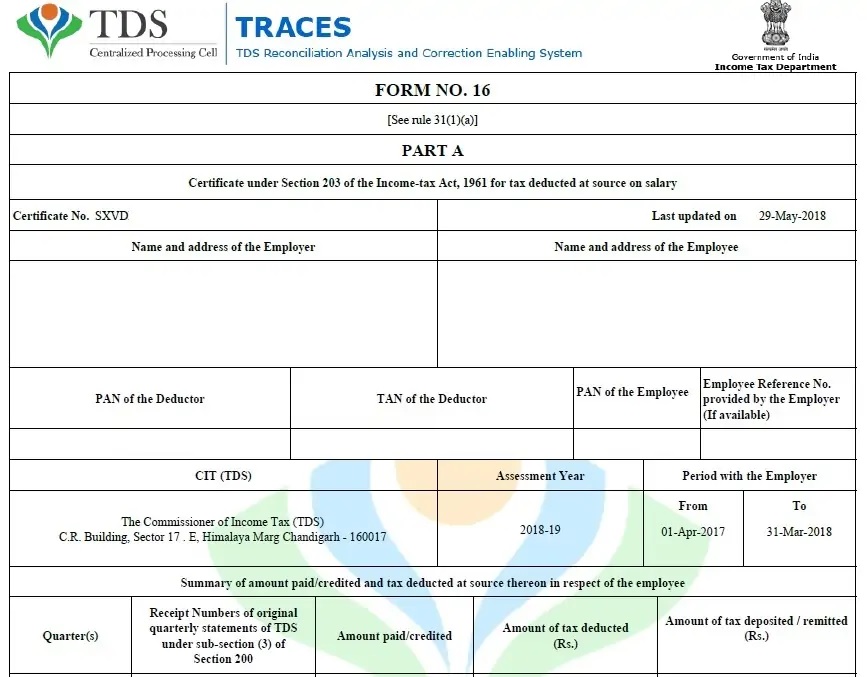
4. Updated Form 16 (Part A & B and Part B)
The tool automatically generates the Revised Form 16 (Part A & B and Part B) for the Financial Year 2025–26. Also, it maintains compliance with the latest tax format and consequently prevents mismatch issues during filing. Likewise, you receive a clean and professional Form 16 that supports your return filing. In addition, this feature helps HR teams prepare documents faster.
5. Simplified Compliance
The Income Tax Software in Excel ensures quick and error-free tax computation through advanced built-in formulas. Moreover, it eliminates manual interventions and therefore increases both speed and accuracy. Next, you simply review the result and download the summary. Finally, you prepare and submit your tax return confidently, and overall enjoy a smooth, stress-free filing experience.