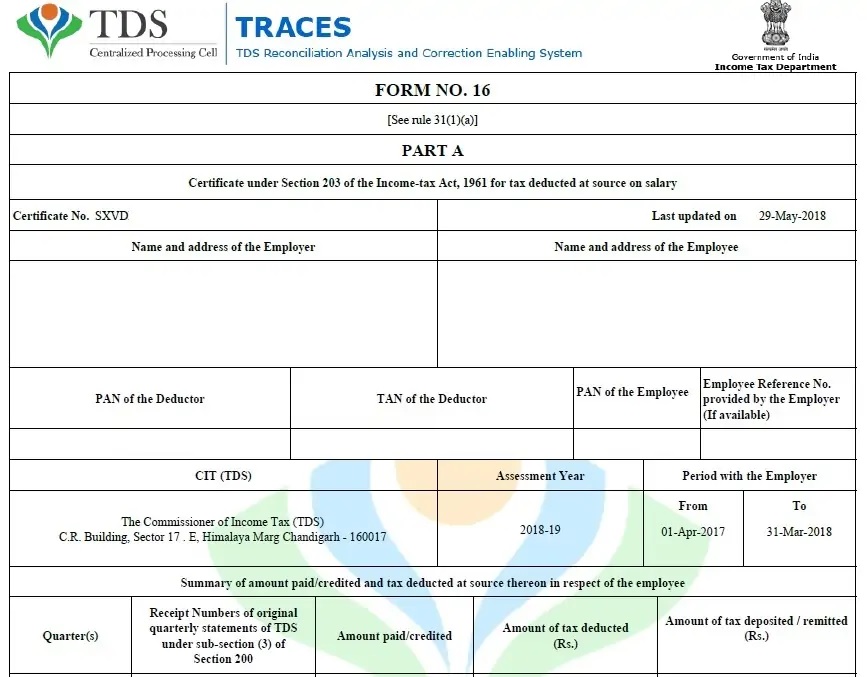
Firstly, managing employee taxation efficiently has become an essential responsibility for employers, accountants, and payroll professionals. In today’s scenario, accuracy, speed, and compliance matter more than ever. Therefore, organisations increasingly prefer automated tools to simplify complex tax documentation. One such powerful solution, the Automatic Master of Tax Form 16 Part B in Excel, helps users prepare Form 16 Part B for up to 50 employees at a time for the Financial Year 2025-26. Undoubtedly, this Excel-based utility transforms tax compliance into a smooth and error-free process.
What Is Form 16 Part B?
To begin with, Form 16 Part B provides a detailed breakup of salary paid, exemptions claimed, deductions allowed, and tax computed during the financial year. Specifically, it shows taxable income, deductions under Chapter VI-A, tax liability, relief under Section 89(1), and net tax payable. Hence, employers must prepare this document carefully. Otherwise, incorrect data can create compliance issues. As a result, automation becomes not only useful but also necessary.
Why Choose an Automatic Master Excel Utility?
Firstly, Excel remains universally accessible and user-friendly. Secondly, most payroll teams already understand Excel operations. Moreover, an automated master file reduces repetitive work. In contrast, manual preparation consumes excessive time and invites calculation errors. Therefore, this Excel utility saves both time and effort. Additionally, it ensures consistency across all employee records. Consequently, organisations achieve better accuracy and compliance.
Prepare 50 Employees’ Form 16 Part B at Once
Most importantly, this Master of Tax Excel tool prepares Form 16 Part B for 50 employees simultaneously. Previously, employers had to prepare each form individually. However, automation changes everything. Now, users enter employee data once, and the software generates all required forms instantly. As a result, payroll processing becomes faster. Similarly, data uniformity improves significantly. Hence, large organisations benefit the most.
Fully Automatic Tax Calculations for FY 2025-26
Notably, the Excel utility calculates income tax automatically as per the Budget provisions applicable for FY 2025-26. Furthermore, it supports salary components such as basic pay, DA, HRA, allowances, bonuses, and arrears. In addition, it adjusts exemptions under Section 10. Likewise, it calculates deductions under Sections 80C, 80D, 80CCD(1B), and more. Therefore, users do not need external calculators. Eventually, the software delivers accurate taxable income and tax payable figures.
Supports New and Old Tax Regimes
Importantly, the Master of Tax Form 16 Part B Excel supports both the New Tax Regime under Section 115BAC and the Old Tax Regime. Hence, employers can select the applicable option for each employee. Meanwhile, the utility recalculates tax instantly. Consequently, employees receive correct tax statements. Moreover, this flexibility ensures compliance with employee declarations. Thus, decision-making becomes simpler and more transparent.
Error-Free and Compliance-Ready Output
Undeniably, accuracy determines the reliability of tax documents. Therefore, this automated Excel file minimises human errors. In other words, formulas handle all calculations internally. Furthermore, the utility validates totals and deductions automatically. As a result, the generated Form 16 Part B complies with Income Tax Department requirements. Additionally, standardised formatting improves readability. Hence, employees can easily use the form while filing their Income Tax Returns.
Easy Data Entry and Master Control
From a usability perspective, the Excel utility offers structured input sheets. Firstly, users enter employer details. Secondly, they input employee master data. Thirdly, they add salary and deduction information. Subsequently, the system processes everything automatically. Meanwhile, master control sheets help manage all 50 employees efficiently. Thus, data management becomes seamless and organised.
Saves Time and Increases Productivity
Practically speaking, time savings represent the biggest advantage. Previously, HR teams spent days preparing Form 16 manually. However, this Excel utility completes the same task within minutes. Consequently, staff can focus on strategic work instead of repetitive calculations. Moreover, faster processing ensures the timely issuance of Form 16. Hence, employee satisfaction improves.
Ideal for Employers, CAs, and Payroll Professionals
Clearly, this tool suits a wide range of users. For instance, employers use it for statutory compliance. Similarly, Chartered Accountants use it for multiple clients. Additionally, payroll consultants rely on it for bulk processing. Therefore, the Excel utility becomes a universal tax solution. In short, it meets professional requirements efficiently.
Secure and Editable Excel Format
Another significant benefit, the file remains fully editable. Therefore, users can correct data easily if required. Moreover, Excel offers password protection for security. Consequently, sensitive employee information remains safe. Furthermore, users can store backups for future reference. Thus, data control stays firmly in the user’s hands.
Step-by-Step Form 16 Generation Process
To summarise the workflow, the process remains straightforward. Firstly, download the Automatic Master of Tax Form 16 Part B Excel file. Next, enter the employer and employee details. Then, input salary, exemptions, and deductions. Afterwards, review the auto-calculated tax. Finally, generate and print Form 16 Part B for all 50 employees. As a result, compliance becomes effortless.
Why You Should Download This Excel Utility Today
Ultimately, compliance deadlines demand efficiency. Therefore, delaying automation can cost time and accuracy. In contrast, downloading this Excel utility ensures you are prepared. Moreover, it simplifies complex tax structures. Additionally, it aligns with FY 2025-26 regulations. Hence, adopting this tool represents a smart decision. Without doubt, it enhances reliability, productivity, and professionalism.
Final Thoughts
In conclusion, the Automatic Master of Tax Form 16 Part B in Excel provides a comprehensive, accurate, and efficient solution for preparing Form 16 Part B for 50 employees simultaneously for FY 2025-26. Overall, it reduces workload, eliminates errors, and ensures statutory compliance. Therefore, employers, accountants, and payroll professionals should download and use this powerful Excel utility today. Ultimately, smart automation leads to stress-free tax compliance and confident reporting.
Download the Automatic Income Tax Master of Form 16 Part B in Excel, which enables you to prepare Form 16 Part B for 50 employees simultaneously for the FY 2025-26 and AY 2026-27.


Download Automatic Form 16 Part A and B in Excel for Salaried Employees for FY 2025-26 & AY 2026-27
- Secondly, this Excel utility allows you to generate Form 16 Part B for up to 50 employees at one time, thereby saving significant time and effort during bulk processing for FY 2025-26.
- Moreover, the utility actively calculates income tax liabilities according to the latest income tax slabs, while seamlessly supporting both the New Tax Regime and the Old Tax Regime.
- Additionally, the Excel tool incorporates a unique and updated salary structure for individuals, strictly aligned with the provisions of the Budget 2025.
- Furthermore, the utility includes all amended Income Tax sections, as revised under the Budget 2025, and accurately applies them under both the New and Old Tax Regimes.
- Importantly, the Excel utility actively prevents duplicate or double PAN entries for each employee; therefore, you never face errors related to repeated names or PAN numbers.
- Meanwhile, the utility formats Form 16 Part B automatically for A4 paper size, which ensures hassle-free and professional printing.
- Likewise, the Excel file automatically converts numerical amounts into words without using any visible Excel formulas, thereby improving clarity and presentation.
- Consequently, both Government and Non-Government organizations can use this Excel utility efficiently without any limitations.
- In addition, the utility works as a simple Excel file; you just download it, enter data into the input sheet, and it instantly prepares Form 16 Part B for 50 employees with complete accuracy.
- Finally, you can prepare, store, and save employee data securely on your system, as the utility works smoothly with MS Office 2003, 2007, 2010, and 2011, ensuring broad compatibility.


